Open topic with navigation
Trigger based on Customer Postcode
This functionality enables a Promotion to be triggered based on the Postcode in the Customer's Address Details.
This will enable Promotions to be restricted to Customers that reside in specific areas based on their Postcode.
Postcodes can be specified as a range (e.g. 4000-4100), comma separated list (e.g. 4000,4001,4002) or a combination of both (e.g. 4000,4005-4050,4061).
When a Promotion is configured for this functionality, any Customer that has a Postcode that falls within the entered range will be eligible to receive the Promotion when they purchase the required Stock Items specified in the Promotion.
 Pre-Requisites - Setting the Customer's Postcode
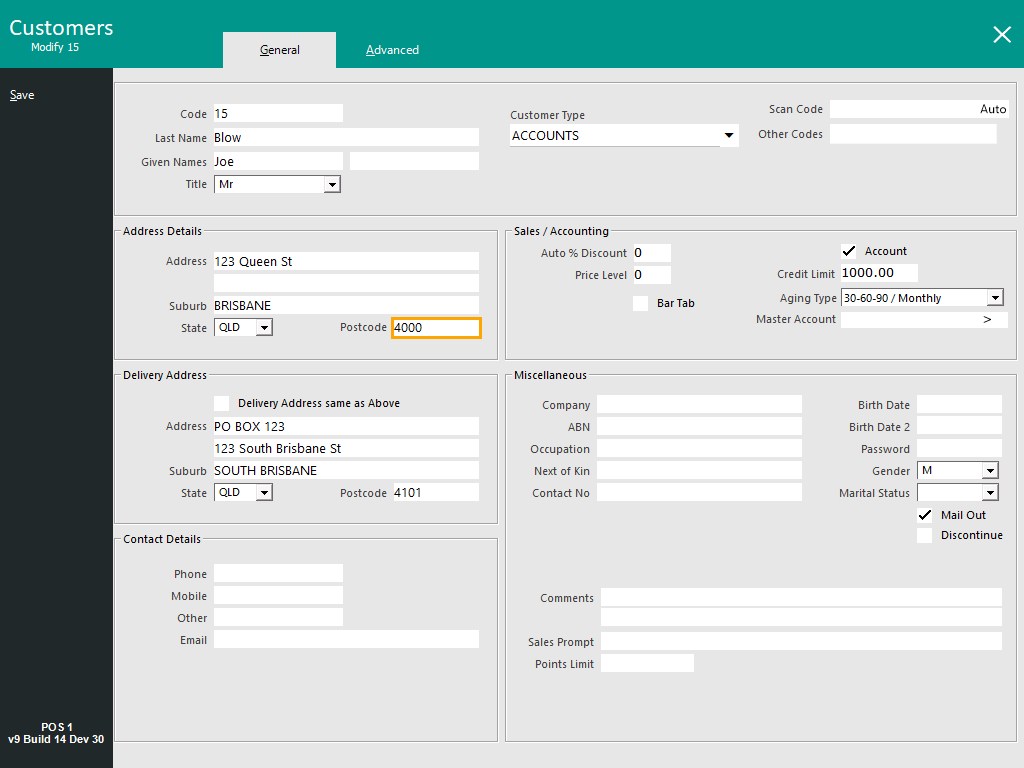
Go to: Back Office > File > Customers > Customers > Select a Customer > Modify.
Ensure that a Postcode has been entered within the Address Details field.
Note that the Postcode in the Delivery Address is not used for this functionality.
Save the change.
Repeat the process to update the Address Details/Postcodes of any other Customers as required.
Linking Promotions to Postcodes
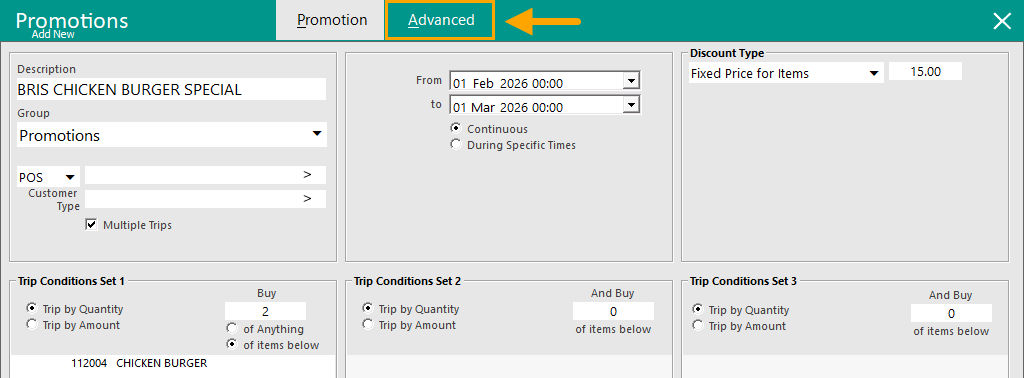
Go to: Back Office > File > Sales > Promotions > Promotions.
Add or Modify a Promotion.
Select the "Advanced" tab.
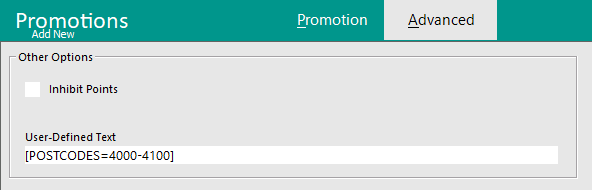
In the Advanced Tab of the Promotion, the User-DefinedText Field is used to specify which Postcodes the Promotion will apply to.
Postcodes can be entered as a comma separated list, range, or a combination of both.
See examples below:
Postcodes entered as a comma separated list.
[POSTCODES=4000,4001,4002]
Postcodes entered as a range.
[POSTCODES=4000-4100]
Postcodes entered using a combination of a comma separated list and range.
[POSTCODES=4000,4001,4005-4010,4101]
Enter the required Postcodes into the User-Defined Text Field.
Once the Postcodes have been configured accordingly, close the Modify/Add Promotion window and when prompted to "Save Changes", press "Yes".
Close the Promotions window.
The above process can be repeated to setup any other Promotions that are required to trigger based on the Customer Postcode.
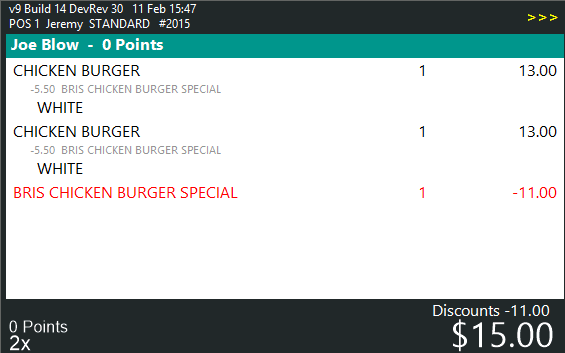
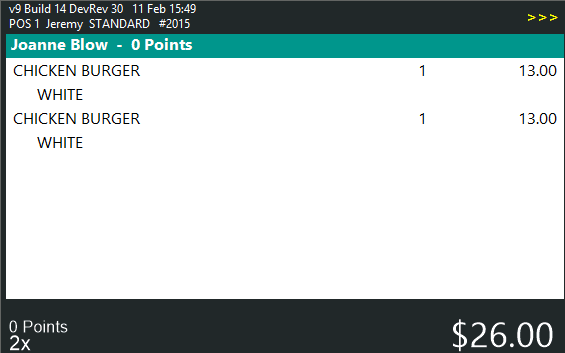
Example of Promotion being triggered
When the following conditions are met, the Promotion will trigger:
- Customer's Postcode in their record matches a Postcode or range in the Promotion.
AND
- The Customer purchases the required items that are setup in the Promotion.
If a Customer's Postcode does not match a Postcode or Postcode range in the Promotion, the Promotion will not trigger.
The Promotion will also not trigger if a Customer has not been added to the sale.
Open topic with navigation